Prescribe
phototherapy
you can
actually see.
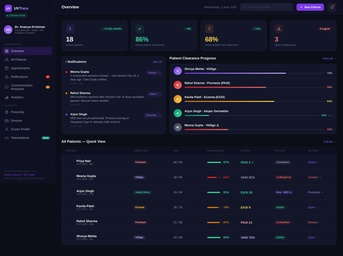
Join the UVThera Dermat Network to get real-time dose and compliance visibility for every patient you prescribe to — plus clinic devices and a demo programme, at no cost to register.
Three ways to work with UVThera
Whatever stage your practice is at.
Most dermatologists start with the dashboard, then add clinic devices or patient prescriptions as it fits their practice. You don't need to do all three.
From registration to first patient
Six steps. About a week, start to finish.
Pathway 01 — Dashboard
Everything you'd want to know, without asking the patient.
No more relying on patients to self-report compliance. The dashboard is free to access once registered.
Pathway 02 — Devices for your clinic
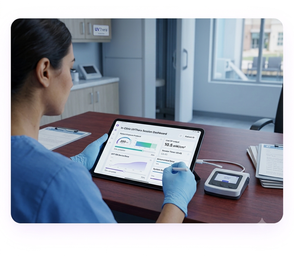
Run sessions in-clinic, with the same dosimetry.
For practices that want UV therapy delivered on-site, with full records feeding the same dashboard.
From sign-up to your first in-clinic session
Same dosimetry, better continuity
- Consistent, AI-tracked dosimetry on every session, in-clinic or at home
- ABHA-linked records carry over seamlessly if a patient moves between clinic and home therapy
- Bilingual staff interface, built for Indian clinic teams
- A dedicated care guide supports your patients between visits
Pathway 03 — Prescribing to patients
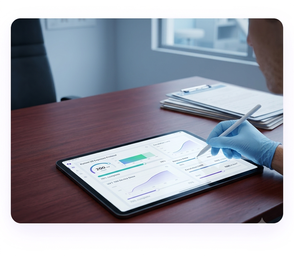
Write the protocol once. The device does the rest.
Clinical foundation
Built on evidence, not a new claim.
UVThera doesn't change the clinical protocol you already trust — it makes sure the device delivers exactly what you prescribed.
For dermatologists — FAQ
Common questions from prescribers.
Ready to prescribe with full visibility?
Registration takes about 2 minutes. No cost, no obligation to buy a device.
Register as a prescriber →Prescribe
phototherapy
you can
actually see.
Join the UVThera Dermat Network to get real-time dose and compliance visibility for every patient you prescribe to — plus clinic devices and a demo programme, at no cost to register.
Three ways to work with UVThera
Whatever stage your practice is at.
Most dermatologists start with the dashboard, then add clinic devices or patient prescriptions as it fits their practice. You don't need to do all three.
From registration to first patient
Six steps. About a week, start to finish.
Pathway 01 — Dashboard
Everything you'd want to know, without asking the patient.
No more relying on patients to self-report compliance. The dashboard is free to access once registered.
Pathway 02 — Devices for your clinic
Run sessions in-clinic, with the same dosimetry.
For practices that want UV therapy delivered on-site, with full records feeding the same dashboard.
From sign-up to your first in-clinic session
Same dosimetry, better continuity
- Consistent, AI-tracked dosimetry on every session, in-clinic or at home
- ABHA-linked records carry over seamlessly if a patient moves between clinic and home therapy
- Bilingual staff interface, built for Indian clinic teams
- A dedicated care guide supports your patients between visits
Pathway 03 — Prescribing to patients
Write the protocol once. The device does the rest.
Clinical foundation
Built on evidence, not a new claim.
UVThera doesn't change the clinical protocol you already trust — it makes sure the device delivers exactly what you prescribed.
For dermatologists — FAQ
Common questions from prescribers.
Ready to prescribe with full visibility?
Registration takes about 2 minutes. No cost, no obligation to buy a device.
Register as a prescriber →Join the network
Register as a UVThera prescriber.
Most registrations are verified within 48 hours.
- Listed in the patient-facing "Find a UVThera doctor" directory (optional)
- Eligibility for a demo unit at nominal cost
- Clinic device pricing on request
- Clinician dashboard access for all your patients